Is Quida free to use?
Yes. Quida is completely free to download on Android and iOS. Every new user receives free credits upon signing up, allowing you to explore key features before purchasing additional credits. There are no monthly subscriptions or hidden charges—you only pay for the services you choose to use.
How does the credit system work?
Quida operates on a simple credit-based system instead of a subscription model. You purchase credits whenever you need them and use those credits to access premium safety features like Panic Alerts, Plate Number Scans, and Companion Device tracking. This means you only pay for what you actually use, giving you complete control over your spending.
What do I get when I sign up?
When you create your account, you’ll receive complimentary credits that can be used across Quida’s premium features. This lets you experience services like Plate Number Scan, Safety Check-In, and Panic Alerts before deciding whether to purchase additional credits.
Who can see my location?
Your location is always under your control. It is only shared with the trusted contacts you choose and only when you enable location sharing or activate a safety feature such as a Panic Alert or Safety Check-In. Quida never makes your live location visible to the public.
Is my data secure?
Absolutely. We use industry-standard encryption to protect your personal information, location data, and emergency contacts. Anonymous reports remain anonymous, and we never sell your personal data to advertisers or third parties. Your privacy is built into every part of the Quida experience.
What happens when I press the Panic Button?
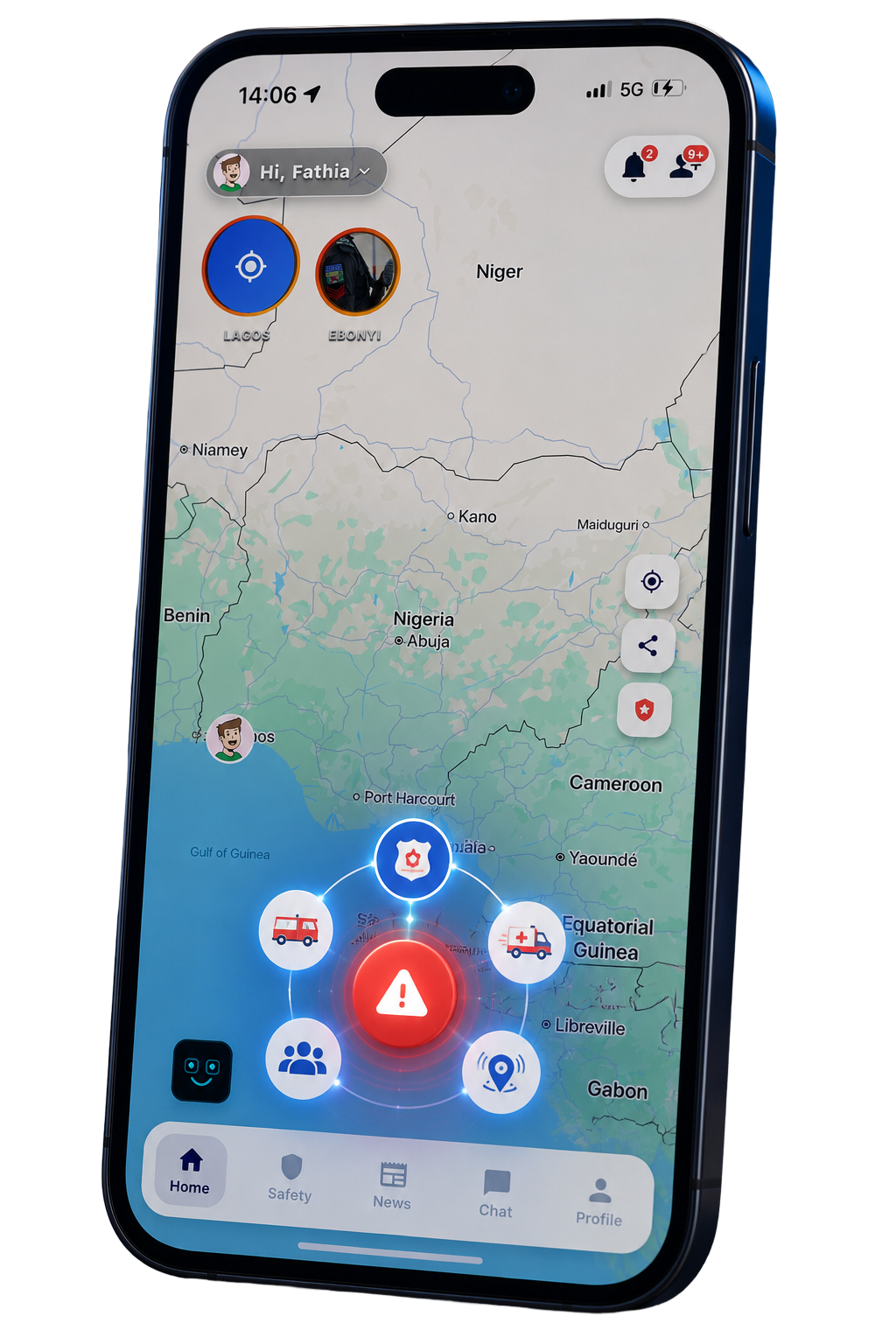
The moment you activate the Panic Button, Quida immediately shares your live location with your selected emergency contacts through the app and SMS (where available). They receive an alert that you’re in danger, allowing them to respond quickly or contact emergency services if necessary.
Does Quida work without internet?
Yes, key emergency functions are designed to remain reliable even in poor network conditions. If mobile data isn’t available, Quida uses SMS as a fallback for Panic Alerts where supported, ensuring your emergency contacts can still be notified. Some features, such as the Crime Map and AI Safety Assistant, require an internet connection to provide real-time information.
What is the AI Safety Assistant?
The AI Safety Assistant is available 24/7 to provide practical guidance whenever you need it. Simply describe your situation—for example, if you’re being followed, feel unsafe, or need a safer route—and the assistant will offer clear recommendations based on your location and context. It helps you make informed decisions quickly, especially during stressful situations.
Does my child need a smartphone?
Yes. The Quida Companion Device is designed specifically for children who don’t carry smartphones. Once paired with your Quida app, the device lets you view your child’s location, receive alerts, and stay connected without requiring them to own or use a phone.
Who can access my child’s location?
Only the family members or guardians you authorize within your Quida account can access your child’s location. You remain in complete control of who has access and can update or remove permissions at any time.
Does the device need charging?
Yes. Like any smart device, the Companion Device contains a rechargeable battery. The Quida app will notify you before the battery becomes critically low, giving you enough time to recharge it and maintain uninterrupted protection.
What is the Quida Companion Device?
The Quida Companion Device is a compact smart safety tracker designed for children. It can be worn as a wristband, attached to a backpack, placed inside a shoe, or carried as a key tag. Working together with the Quida app, it allows parents to monitor their child’s safety, receive emergency notifications, and get alerts if they leave designated safe zones.
How do I pair the device?
Pairing takes just a few minutes. Open the Quida app, navigate to Devices, tap Add Device, and follow the on-screen instructions. Once paired, the device is securely linked to your account and immediately begins syncing with the app.
Can I use Quida without the Companion Device?
Absolutely. Quida is a complete personal safety platform on its own. You can access features like the Panic Button, Plate Number Scan, Crime Map, Safety Check-In, AI Safety Assistant, and Community Reporting without owning a Companion Device. The device simply extends Quida’s protection to children and families.
How accurate is the Crime Map?
The Quida Crime Map combines verified community reports, location intelligence, and continuous moderation to provide timely information about safety incidents around you. Reports are reviewed before appearing on the map to reduce misinformation, and the map becomes even more accurate as more people contribute to the Quida community. While no system can predict every incident, Quida is designed to help you make more informed decisions before you travel.